Connection requests
Connection requests are a manual step in your campaigns. Talin writes a note for each contact and lines them up for you, and you send each request on LinkedIn.
Send your connection requests
Section titled “Send your connection requests”When a campaign has connection requests ready, they show under Actions on the campaign and under Needs your attention on your Home page. The number next to the action is how many are waiting.

-
Select Send connection requests. Talin opens your requests one contact at a time.
-
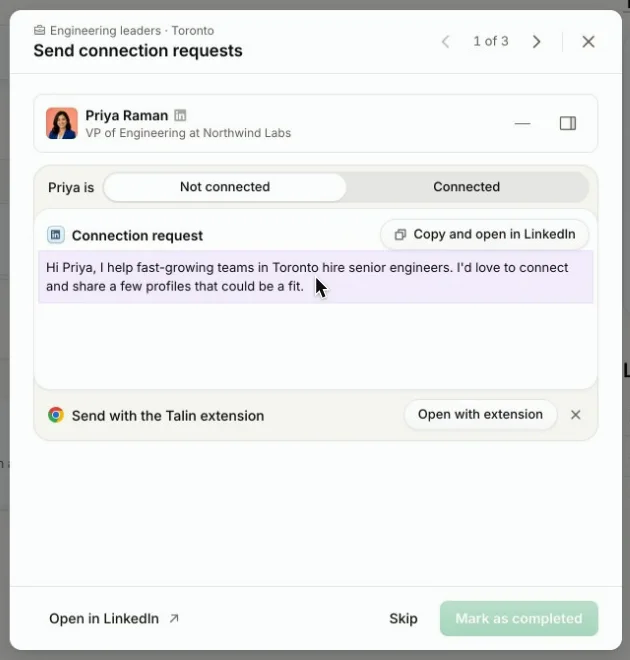
Check the contact and the note Talin wrote for them.
-
Select Copy and open in LinkedIn. Talin copies the note and opens the contact’s profile.
-
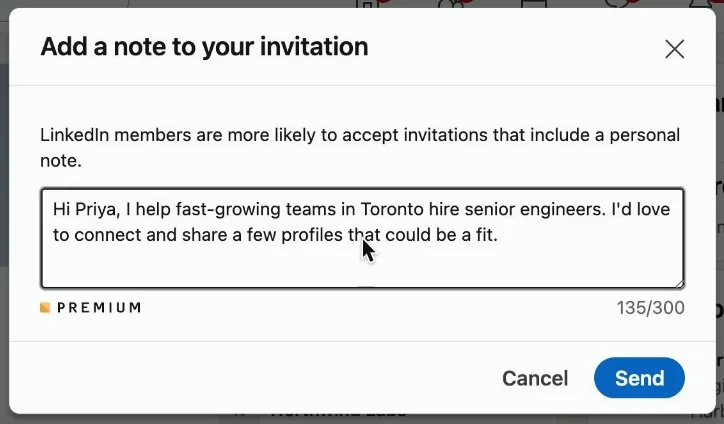
On their profile, select Connect, then Add a note.
-
Paste the note and select Send.
-
Back in Talin, select Mark as completed to move to the next contact, or Skip.
Keep going until every request in the campaign is sent.
Send from the Chrome extension
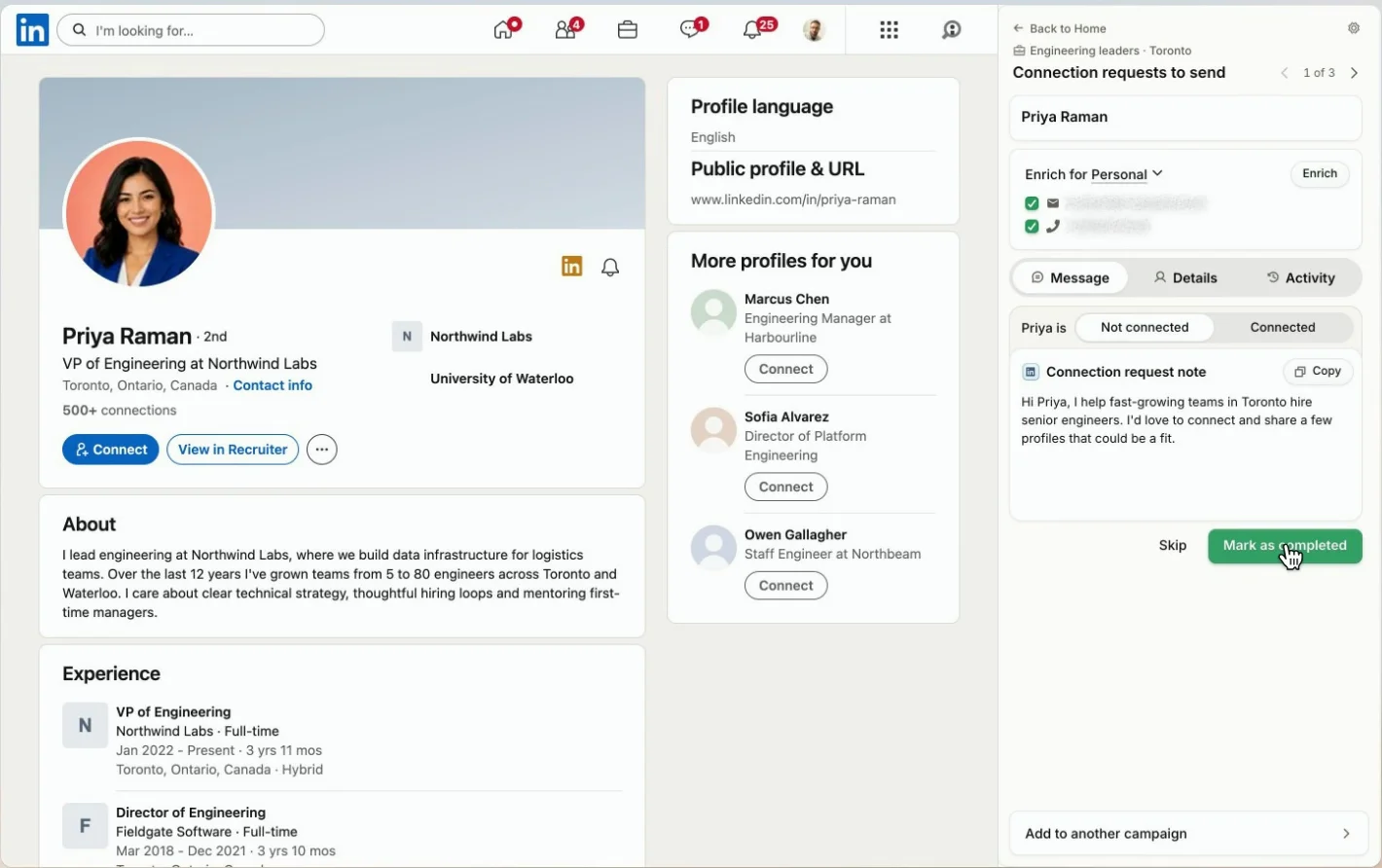
Section titled “Send from the Chrome extension”The Chrome extension shows your requests next to each contact’s profile, so you don’t have to switch back to Talin between contacts.
- Open the Talin Chrome extension. It shows the requests to send for your campaign, one contact at a time, and opens each contact’s profile.
- Select Copy, then select Connect on their profile, paste the note and send it.
- Select Mark as completed to move to the next contact, or Skip.
Read more on outreach channels.
Still need help?
Our team is here when the docs don't cover it.