Account setup
Get your Talin account ready in about 5 minutes: create your account, connect your email, then set up LinkedIn reply tracking. Both setup steps are in the setup checklist on your Home page.
Create your account
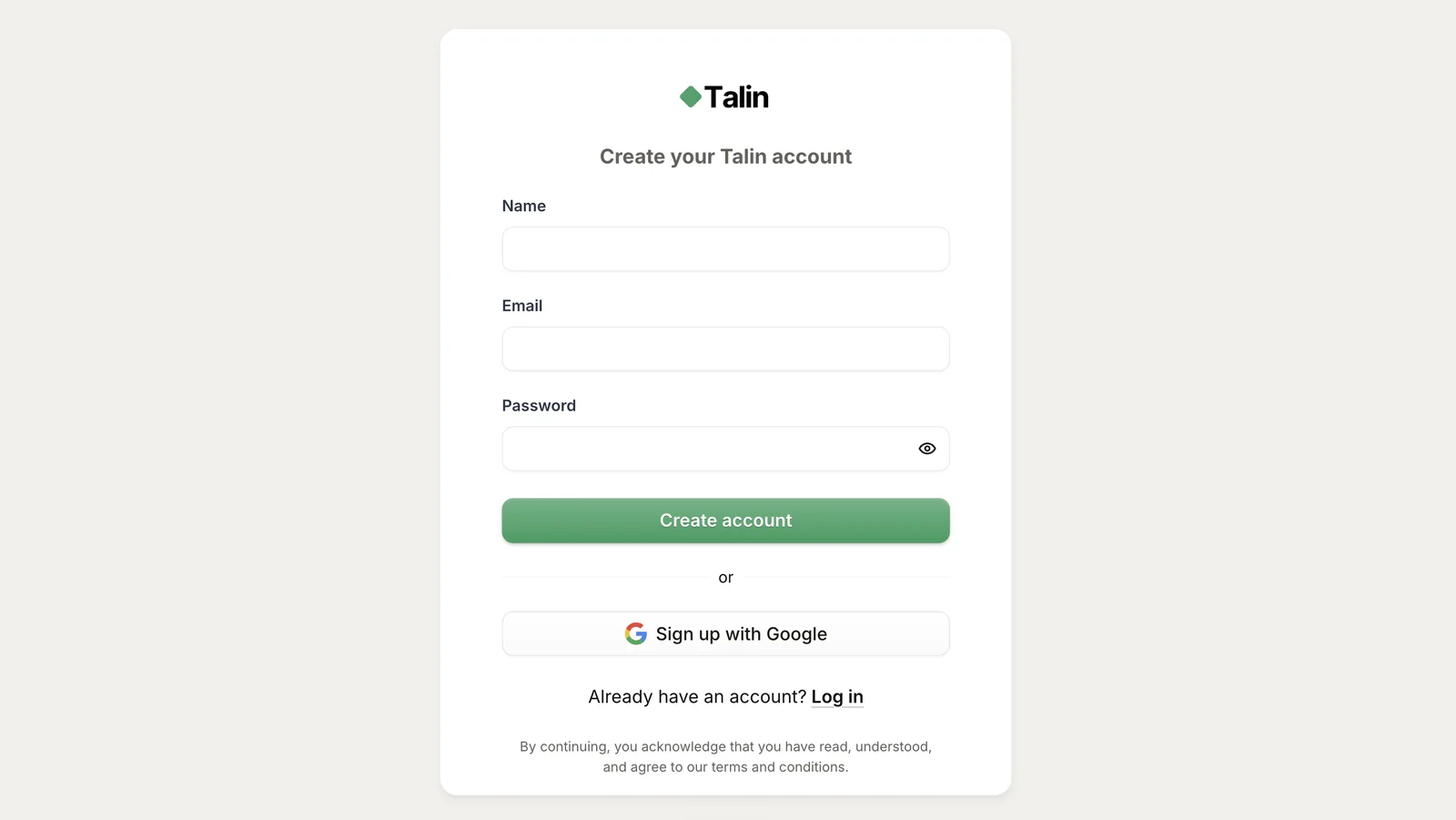
Section titled “Create your account”- Go to app.talin.ai/signup.
- Enter your name, email and a password.
- Select Create account.
- Check your inbox (or spam folder) for a verification email and select the link to confirm your email.
Step 1: Connect your email
Section titled “Step 1: Connect your email”Connect the inbox you want to send outreach from. Talin sends your campaign emails from it and tracks the replies.
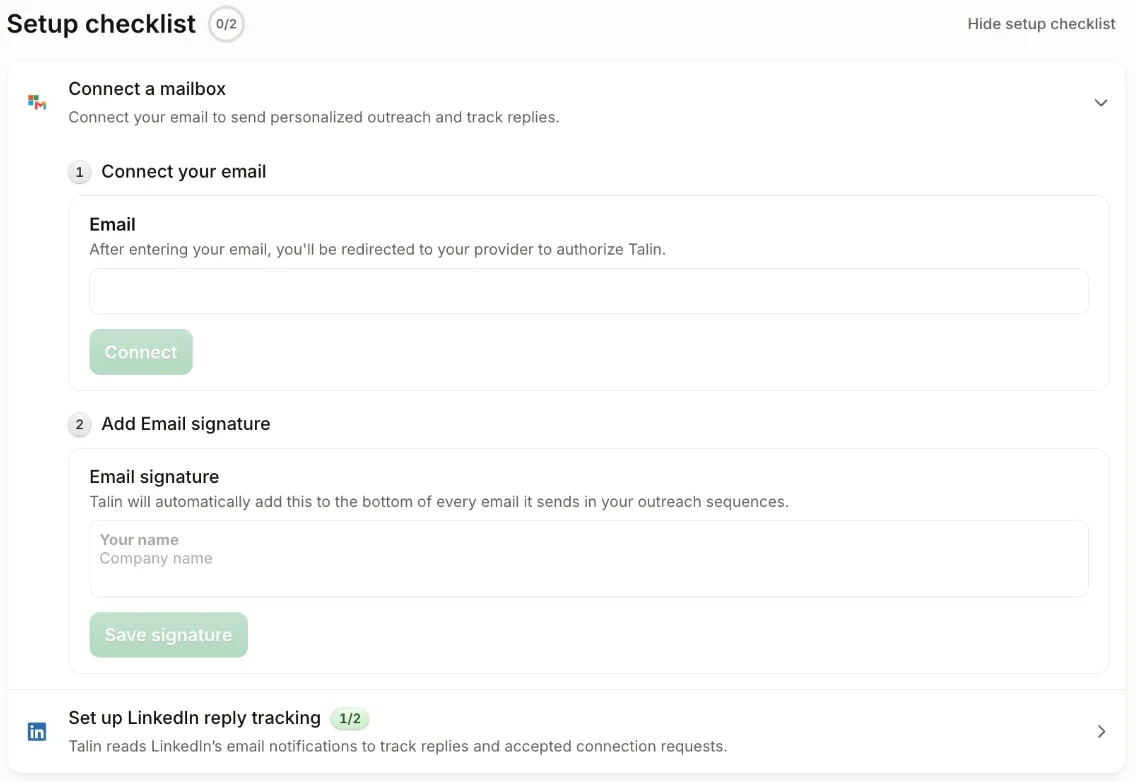
- In the setup checklist, open Connect a mailbox.
- Under Connect your email, enter your email address and select Connect.
- You’re taken to your email provider, such as Google or Microsoft. Sign in and allow Talin access.
- Back in Talin, under Add Email signature, enter your signature and select Save signature. Talin adds it to the bottom of every email in your sequences.
If Microsoft 365 asks for admin approval, follow Connect Outlook when admin approval is required.
Step 2: Set up LinkedIn reply tracking
Section titled “Step 2: Set up LinkedIn reply tracking”Talin reads LinkedIn’s email notifications to see when contacts reply or accept your connection requests.
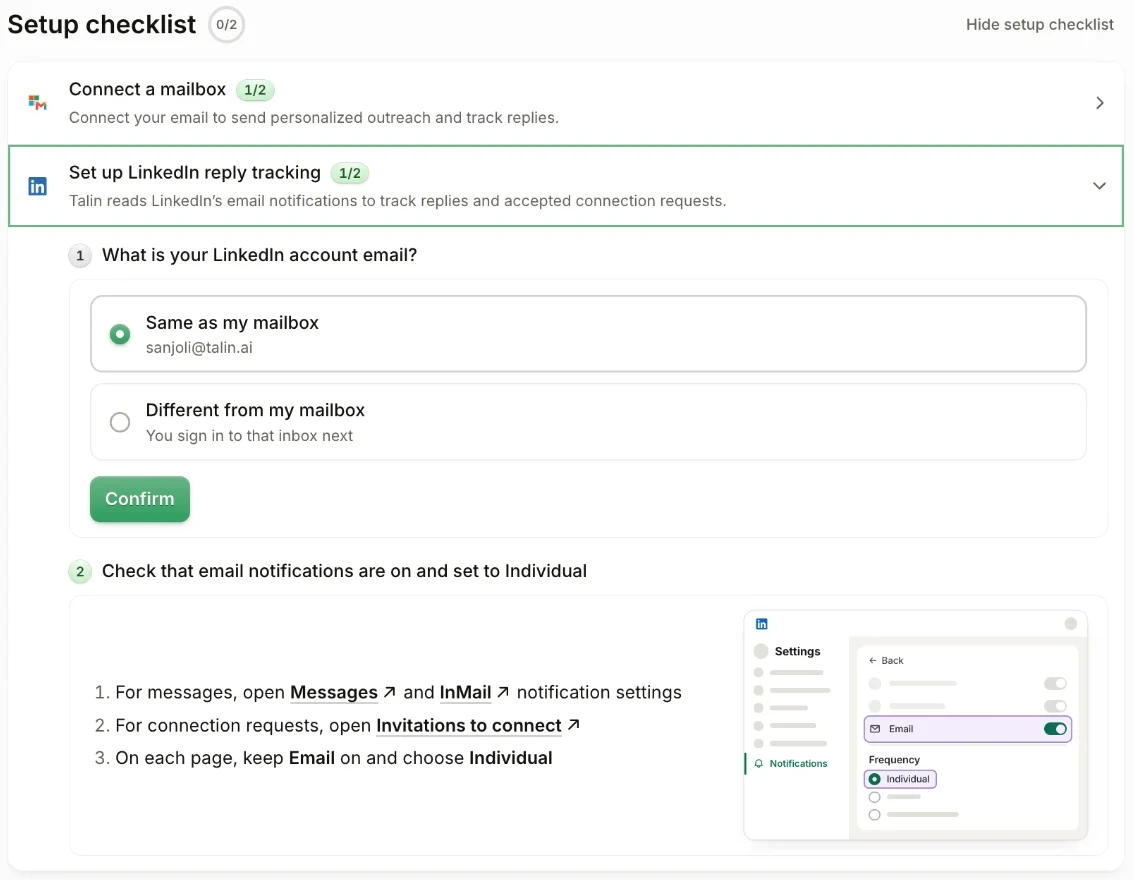
- In the setup checklist, open Set up LinkedIn reply tracking.
- Under What is your LinkedIn account email, choose Same as my mailbox. If your LinkedIn account uses a different email, choose Different from my mailbox, and you’ll sign in to that inbox next.
- Select Confirm.
- Turn on LinkedIn’s email notifications, using the links in the checklist. Open the Messages, InMail and Invitations to connect settings, and on each page keep Email on and choose Individual.
You’re all set
Section titled “You’re all set”With your email connected and LinkedIn reply tracking set up, you’re ready to build your first campaign. On your Home page, under Create campaign, select Recruit Candidates or Find Prospects.

Still need help?
Our team is here when the docs don't cover it.